Getting Started: The Hardest — and Most Exciting — Part
· 4 min read · By Chris Stevenson
For me, getting started with a story is the hardest part. Even after building this app and working so hard to get it just right for you to start writing — and that was hard work — it still seems that the moment I sit down to write, all that effort feels like nothing compared to what I'm about to begin. At the same time, it's really exciting to get going. Now, that may be different for everyone else; I can only speak for myself. Okay — enough of my ranting.
So, in my mind, I create a short story. It's like a self-contained episode that could be the starting point for an entire movie or TV show — but there's a reveal in this one. I'm writing it that way so I get a beginning, a middle, and a great end. What matters in a good story is a strong, lock-them-in beginning (the first ten minutes); the middle matters, for sure; and the ending is key. Below is exactly what I wrote for my first two scenes, and then the screenplay format for each. It's simple, but it's a good start. I'll share both scenes here to give you an idea — even with the worst grammar and spelling, you can focus on the story and let Screenplay Assistant help write the screenplay for you.
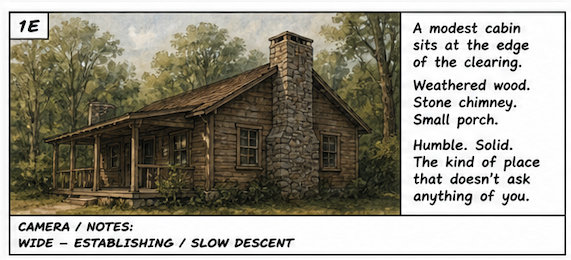
Now, because of the way this app works, if you write a character into your first scene, it's really fun to go straight to the Characters page and generate them. So yeah — I did that. Then I went to Storyboard and generated that too… couldn't help myself, and then I made a few video clips. But I realized that as great as all that is, I need to keep writing. That's the key — and I know I can stop anytime and get right back to where I was.
So here is what I wrote — the left side, the writing side:
And this is the screenplay format. I chose “Creative Polish” — it helps with the flow but takes nothing away from your writing. It's a nice touch, and clean enough to edit, too.
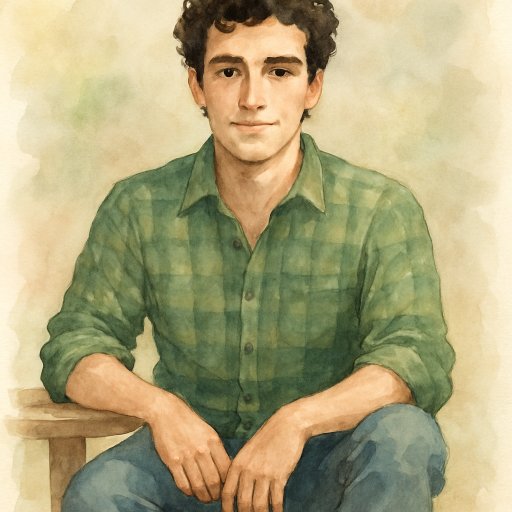
Josh, generated on the Characters page straight from the scene.
Now on to Scene 2, which is really a continuation of Scene 1 — but I wrote it separately so that if I decide to expand Scene 1, with Josh walking around the cabin, I can add it later.
Scene 2 — my horrible writing, raw, no edits, a straight brain dump from my mind's eye. No shame, LOL!
And the screenplay result:
Frank, ready to generate the moment he walked into the story.
It's really fun when you introduce a new character — I go right to the Characters page, and there's Frank, ready to be generated and come alive. Again, I do head over to Storyboard to watch my mind's eye come to life, and it's pretty awesome. I can't believe how good it is. Sure, some things may not match exactly — it's not perfect — but that's not the point at all. It's enough to get me going, keep my story moving, and even help me edit. As I mentioned in my first blog, I'll be planting some foreshadowing and hints throughout the rest of the story and the ending — and it's really fun that you can do that with Screenplay Assistant and watch it come to life.
Take your time, write each scene, and the next thing you know you're in a groove — just keep plugging away at the scenes. Now that you know character generation will be there waiting, there's no need to keep clicking back. You really don't have to, if you're in the groove; you can rest assured you can go back anytime and bring them to life. And the more you write, the more the app updates for you as you go. It's pretty awesome.
Until next time — I hope to have more written, plus more insights into other features our app provides. Oh, a couple of quick things I noticed while looking at the app: you can edit the title of each scene as you go. There's a lot more you can do, too — so if you ever get stuck, check out How It Works. And if you have a feature idea, click Feedback in your user dropdown and share it. I read them all!